
Wplace Converter - Transform Images into Pixel Art Instantly
Free online tool to convert any image into stunning pixel art with Wplace color palette.
Perfect for game developers, artists, and pixel art enthusiasts.
🚀 Supports custom colors, dithering, and multiple export formats
Wplace Converter
Transform your images into beautiful pixel art
Click to upload or drag image here
Supports PNG, JPG, SVG formats
Auto-converts as you adjust the slider
Please upload an image to start converting
Hover over pixels to view color information
Click to select/deselect colors. Locked colors are premium.
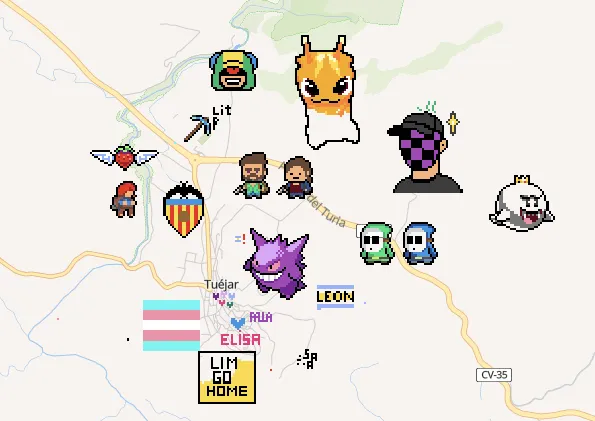
Your All-in-One Pixel Art Conversion Tool
Wplace Converter is a powerful online tool that transforms ordinary images into beautiful pixel art using the authentic Wplace color palette. Whether you're creating game assets, NFT art, or just exploring pixel art, our tool makes the process simple and fun.
- Authentic Wplace PaletteUses the official Wplace color palette with 78 unique colors, including both free and premium options.
- Advanced CustomizationFull control over pixel size, color selection, dithering effects, and scaling methods.
- Multiple Export FormatsDownload your pixel art in various formats optimized for different use cases.
Create Pixel Art in 3 Simple Steps
Our intuitive interface makes pixel art creation accessible to everyone, from beginners to professionals.
The Best Free Pixel Art Tool Online
Discover why thousands of creators trust Wplace Converter for their pixel art needs.
100% Free Forever
No hidden fees, no subscriptions. All features are completely free to use.
Privacy Protected
Your images are processed locally in your browser. We never upload or store your files.
Lightning Fast
Advanced algorithms ensure quick processing, even for large images.
Works Everywhere
Use on desktop, tablet, or mobile. No installation required, works in any modern browser.
Everything You Need for Pixel Art Creation
Packed with professional features to give you complete creative control.
Color Palette Control
Choose from 78 Wplace colors. Filter by free/premium colors or create custom palettes.
Adjustable Pixel Size
Control the pixelation level with precision. From subtle effects to extreme pixelation.
Dithering Effects
Apply Floyd-Steinberg dithering for smoother gradients and more natural-looking results.
Image Scaling
Resize your output with multiple scaling algorithms: nearest neighbor, bilinear, or high-quality Lanczos.
Real-time Preview
See changes instantly as you adjust settings. Compare before and after views.
Color Usage Analytics
View which colors are used in your pixel art to optimize your palette selection.
See What's Possible with Wplace Converter
Explore stunning pixel art creations made with our tool.

Game Character
Perfect for indie game development

Landscape Art
Beautiful scenic pixel art

Portrait Style
Detailed character portraits
Frequently Asked Questions
Everything you need to know about Wplace Converter.
Is Wplace Converter really free?
Yes! Wplace Converter is 100% free with no hidden costs. All features are available at no charge.
Do I need to register or sign up?
No registration required. Simply visit the page and start converting images immediately.
Are my images uploaded to your servers?
No. All image processing happens locally in your browser. Your images never leave your device, ensuring complete privacy.
What image formats are supported?
We support all common image formats including JPG, PNG, GIF, WebP, and more.
What is the Wplace color palette?
The Wplace palette is a carefully curated set of 78 colors designed for pixel art. It includes both free colors (16) and premium colors (62) that work harmoniously together.
Can I use the pixel art commercially?
Yes! You own the rights to any pixel art you create with our tool. Use it freely in your commercial projects.
What's the difference between scaling methods?
Nearest neighbor preserves sharp pixels, bilinear creates smoother results, and Lanczos provides the highest quality for detailed images.
How does dithering work?
Dithering uses the Floyd-Steinberg algorithm to create the illusion of more colors by strategically placing pixels, resulting in smoother gradients.
Join Thousands of Happy Users
See why creators worldwide choose Wplace Converter for their pixel art needs.
Images Converted
50K+
And counting!
Active Users
10K+
Monthly users
User Rating
4.9/5
From reviews
Color Palette
78
Unique colors
Start Making Beautiful Pixel Art Today
Join thousands of creators who trust Wplace Converter for their pixel art needs.